
About the course
The internet has enabled us to communicate thoughts and ideas in unforeseeable ways. Originally created to transfer basic data, the "web" was not originally pepared for rich media. Now ideas and thoughts can be conveyed not only throught text and audio, but through visual multimedia as well and terms such as "YouTube", "myspace" and "Flickr" are becoming household terms.
While this new media allows us to publish content that is accessible globally, the use of visual materials increases while the proper application is not well understood by non professionals.
This course is designed to prepare not only artists to properly deploy visual media for the internet and other digital media, but any person who will be faced with presenting visual ideas. This could be teachers, presenters or any other professionals.
In this course you will learn to use basic tools found in digital editing software while applying them to achieve certain design goals. Additionally you will face other realistic constraints such as limited canvas space, target resolutions, color limitations and other challenges.
The intent is to teach very basic, cross platform, techniques while encouraging creativity in the digital, visual media. The techniques you will learn here are standard techniques used everytime an image is being prepared for publication.
We purposely do not focus on print media. The intent of this course is to address the broader spectrum of digital media because of the different requirements and skills necessary for successful implementation.
Just as dirty shoes or clothes will give a bad impression during a job interview, poor graphic deployment says alot about the artist and his or her skills. Make sure that you put the same care into the preparation of your digital media as you would your own appearance.
Textbook
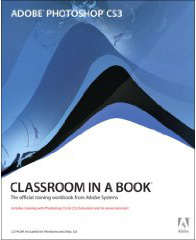
The textbook required for this course is Adobe Photoshop CS3 Classroom in a Book by Adobe Creative Team,
ISBN-10: 0321492021 and is available at Barnes and Noble Book stores or online at https://www.Barnesandnoble.com and www.Amazon.com.
Things you'll need
In addition to the textbook this course requires some materials and resources for you to transport, create and submit your projects. Please start finding these materials as quickly as possible.
- Digital Camera - You will need to own or have access to a digital camera to create photostock to work with. This photostock will be the core to all of your projects.
- Flash memory drive - In order to save your projects you work on in class and to move them to other locations when necessary, you will need this. There will be occasions when the instructor will provide you with additional materials to work with and having a Flash drive is indispensable.
- CDs and jewelcases/CD sleeves - All Projects must be submitted on CD's inside of jewel cases or CD paper sleeves. Make sure you have enough to account for failed burns and such.
- Sharpie Pen - All CDs and their jewelcases/sleeves must be marked with the students names using sharpies in order for the instructor to identify the submitter.
- Pen and paper - We will cover a lot of material in lectures and taking notes can be of great benefit.